How to revive a WeMo Smart device using PyWeMoGUI
Tired of corporate greed bricking your WeMo Smart Plugs? Well the Open
Source Comunity comes to the rescue with some tools to revive them
Requirements
- Pywemo
- PyWeMoGUI (if going that option Pywemo is inside the executable)
- OpenSSL (windows clients must download this variant of OpenSSL here)
- A computer with a WIFI Chip
The Unit i will be reviving for this guide is a WeMo Smart Plug model: F7C027

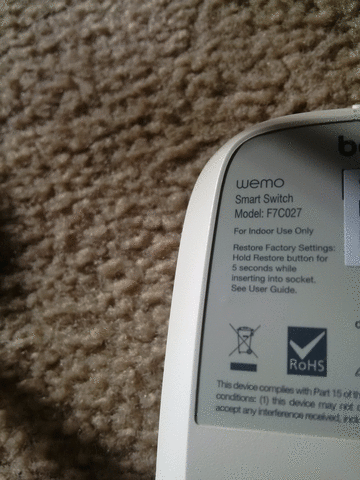
First Factory Reset the WeMo. Then download the required software above
After Getting all the required software downloaded Launch the PyWeMoGUI
program. Once you open it you will be greeted with this window

To Test if OpenSSL is installed click the Utilities Tab and then click Check for OpenSSL
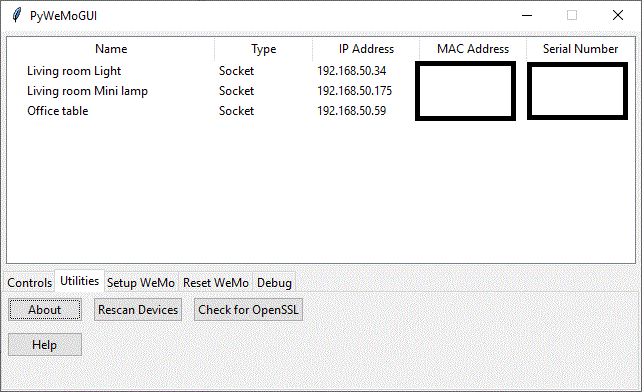
If it is installed You should get this message

If you get this error Message on checking OpenSSL
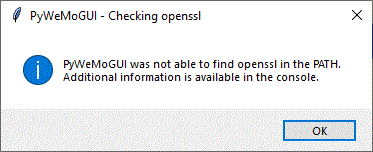
Then you should drag the OpenSSL bin files to the directory where PyWeMoGUI is
Once you got everything setup. Connect to the WeMo wifi network it
should be somthing like "Wemo.Dim2G.295" After connecting to it you
should see only one device. The device we are reviving

Then Click on the Setup WeMo tab then enter you WIFI name and password
(if your network is open click the [No Password or Open network] check
box) then click Setup Device. you should see this message pop up

In the future The GUI won't freeze up
If you see these error Messages


Then do these troubleshooting tips
A. change your Wifi Router password settings from TKIP + AES to AES
B. Try Again
C. It might have actually succeeded. Follow the instructions on the bottom of the error
If all goes well connect to your home network and you will see your new WeMo device on your network.

Congratulations Your WeMo device has been revived!
If you run a Home Assistant instance it Should pick up the new WeMo Device

Devices/Software used for guide
- WeMo Smart Switch model: F7C027
- Blackberry Z30 (for unit photos)
- Valve Steam Deck (Windows dual boot) [LINUX SUPERIOR]
- Snipping Tool (for utility Screenshots)
- Home Assistant